ZATCA Phase 2 explained for SMEs (2026 Guide)
A simplified, jargon-free guide for Saudi SMEs to understand ZATCA Phase 2 requirements, upcoming 2026 deadlines, and how to avoid penalties.
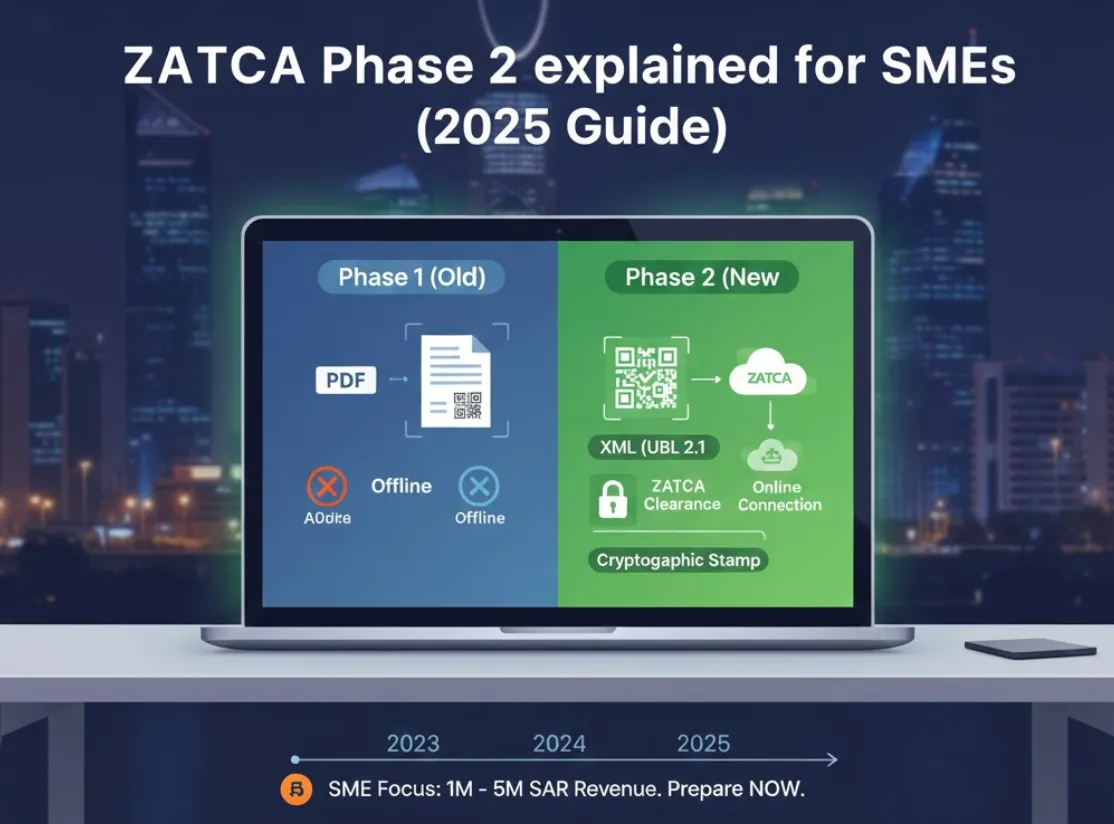
If you run a small or medium business (SME) in Saudi Arabia, you’ve likely heard about ZATCA Phase 2 (the Integration Phase). But most guides are written for developers or large enterprises.
This guide is for business owners. We explain exactly what Phase 2 means for your SME in 2025, without the technical headaches.
What actually changes in Phase 2?
In Phase 1 (Generation), you just needed to save an invoice electronically. A PDF on your computer was often “good enough” if it had a QR code.
In Phase 2 (Integration), your accounting software must talk to ZATCA’s servers in real-time.
| Feature | Phase 1 (Old) | Phase 2 (New) |
|---|---|---|
| Format | PDF or electronic file | XML (UBL 2.1) hidden inside a PDF/A-3 |
| Connection | Offline allowed | Online (Internet required) |
| Validation | None (Self-check) | ZATCA Clearance (They approve it) |
| Security | Basic QR Code | Cryptographic Stamp (Digital Signature) |
The Bottom Line: You cannot just “make an invoice” anymore. You must “ask ZATCA for permission” (Clearance) or “tell ZATCA immediately” (Reporting).
Deadlines: Is my SME targeted in 2025?
Yes. ZATCA is rolling this out in “Waves” based on your revenue (taxable supplies) from previous years (2021/2022).
While the giants (SAR 3B+) started in 2023, 2025 is the year for SMEs.
- Wave 10-15: Already hitting businesses with 5M - 20M SAR revenue.
- Late 2025: We expect announcements for businesses with 1M - 3M SAR revenue.
If you make over SAR 500,000 annually, you should prepare now. The penalty for non-compliance can reach SAR 50,000 or result in your VAT certificate being suspended.
The 3 Technical Requirements (Simplified)
You don’t need to know how to code, but you must ensure your software handles these three things:
1. The XML “Invisible” Invoice
ZATCA doesn’t read PDFs. They read XML (Universal Business Language). Your software must generate a complex code file for every sale.
If you were to open the file ZATCA receives, it looks like this:
<Invoice xmlns="urn:oasis:names:specification:ubl:schema:xsd:Invoice-2">
    <cbc:ID>INV-2025-001</cbc:ID>
    <cbc:IssueDate>2025-01-05</cbc:IssueDate>
    <cac:AccountingSupplierParty>
        <cac:Party>
            <cac:PartyTaxScheme>
                <cbc:CompanyID>399999999900003</cbc:CompanyID>
            </cac:PartyTaxScheme>
        </cac:Party>
    </cac:AccountingSupplierParty>
</Invoice>
If you send a normal PDF to a client without this specific XML embedded, it is invalid.
2. Clearance vs. Reporting
- B2B (Business to Business): You send the invoice to ZATCA first. They “Clear” it (stamp it) and send it back. Only then can you give it to your client.
- B2C (Business to Customer): You issue the invoice immediately (so the customer doesn’t wait), but your software must report it to ZATCA within 24 hours.
3. The “Anti-Tamper” Chain
Every invoice is linked to the one before it mathematically (using a “Hash”).
- If you delete Invoice #5, Invoice #6 becomes invalid.
- Implication: You cannot delete invoices anymore. You must issue a Credit Note to fix mistakes.
Common Mistakes SMEs Make
-
Using “Sandbox” credentials in Production: Some systems test on the ZATCA Sandbox but fail to switch to the Live portal. Your invoices look valid but are never received by ZATCA.
-
Ignoring the 24-hour rule for B2C: Retailers often sync their data once a week. In Phase 2, if you don’t sync daily, you are non-compliant.
-
Manual PDF Editing: You cannot open a PDF editor to fix a typo. The digital signature will break, and the invoice will be rejected.
How to Comply (The Easy Way)
First, verify if your current software is truly ZATCA Phase 2 compliant. Many systems claim compliance but fail the 5-point audit test.
You have two choices:
- Hire a developer: Spend SAR 20k+ to build a custom integration (painful).
- Use compliant software: Switch to a cloud accounting platform that is “ZATCA-Ready”.
Qeemah is built specifically for this. We handle the XML, the Crypto-stamps, and the ZATCA connection in the background. You just click “Create Invoice”.
The Qeemah Advantage for SMEs
- Auto-Onboarding: We connect you to the Fatoora portal in 2 minutes.
- Error Fixer: If ZATCA rejects an invoice (e.g., wrong VAT ID), we tell you exactly how to fix it in plain English.
- Archive: We keep your XMLs safe for the mandatory 6-year period.
Next Steps
Don’t wait for the official letter. Onboarding takes time.
- Check your 2022/2023 revenue to see which Wave you fit in.
- Try Qeemah’s Free ZATCA Readiness Checker.
- Start your compliance journey today so you can focus on growing your business, not fighting with tax portals.